Jacky Chung
00 · About London, UK

Hello!

I'm Jacky. I build products and businesses.
This is where I share bits of work, experiments, and occasional opinions.

Open to interesting conversations
Navigating this site: scroll for posts page within a post
01 · Essay 2 min read

Designing closer to code

2026-05-15 · 2 min read

Designing closer to code

I've used Figma for years, and it will remain an essential tool in my stack, just as much as the humble pen and paper. However, the reach of its utility has certainly compressed with the introduction of AI.

My gripe with the past process was that design implementation often go through minor tweaks before deployment, maybe some copy changes or edge case handling - they warrant design input but not a full rework cycle. And here's the issue, these adjustments rarely sync back to Figma, so over time, you get a drift with production. Designers want to maintain this, but usually have their hands full on the next feature.

01 02 03 04 Ideate Detail Build Refine sketches screens components edge cases sync back
Figma Code

Designing with HTML

AI fixes the sync back issue by allowing me to design with the code i.e. the source of truth. Exploration should still take place outside in Figma or paper, but once you have a flow in mind, these days I will present the flow to Claude, ask him to pull existing design components, and draft the design in a single HTML, refine, and use this as a basis for the build. This allows me to always design from the source of truth, the codebase.

I actually picked up this trick using Claude Design, I noticed all the output were HTML and found it pretty useful. However, because of the annoying weekly limits, I ended up adapting this workflow to Claude Code, and I think I'll stick to this setup, I prefer working close to the code.

01 02 03 04 Ideate Detail Build Refine sketches screens components edge cases sync back
Figma Code

Example 1: HTML Design System

Prompt guide: provide Claude with some reference screenshots and ask it to build a draft design system with it. To refine, ask it to add an html artifact for adjusting colours, type etc.
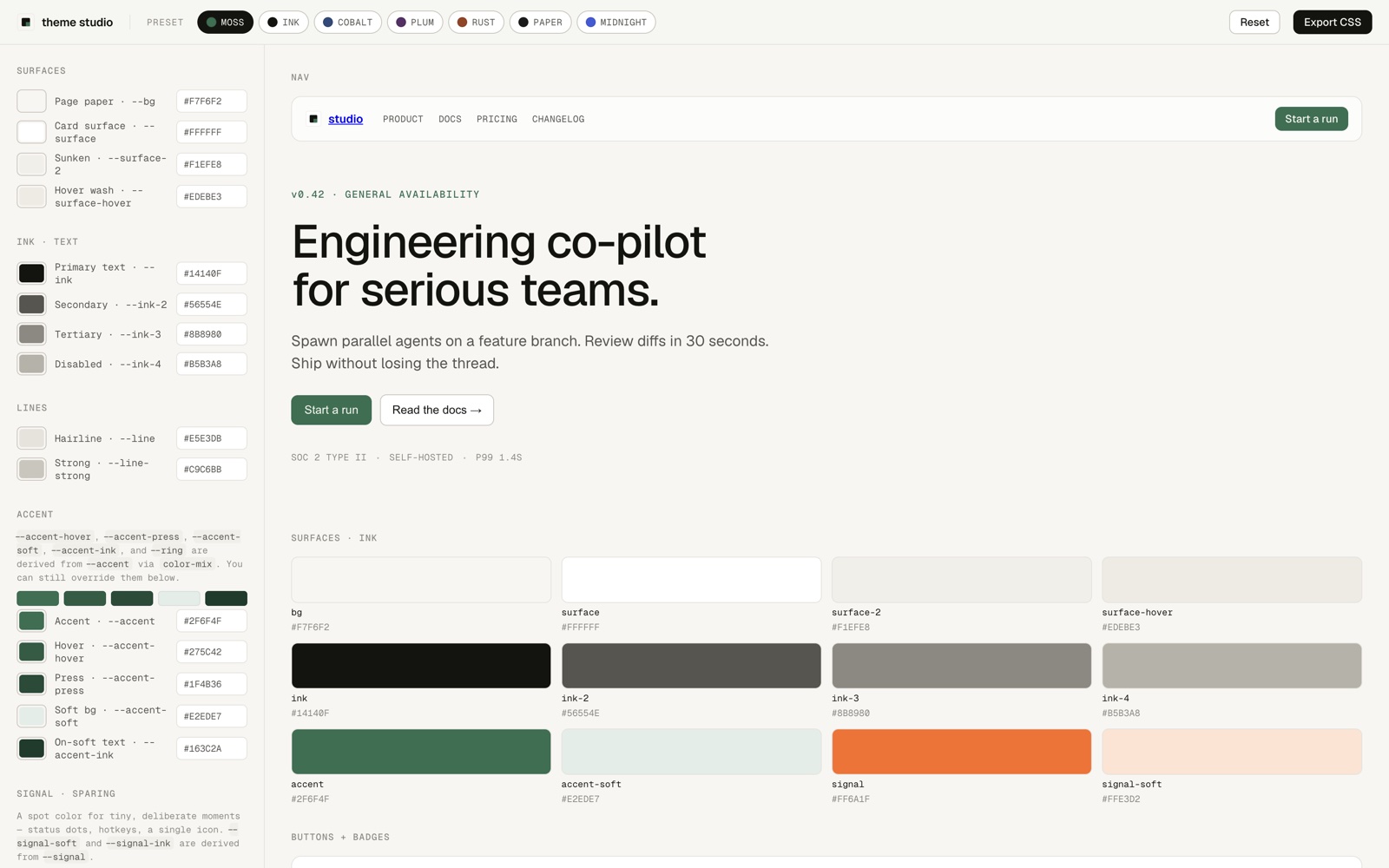
Screenshot of an HTML design system: a theme studio with a sidebar of colour token controls and a preview area showing nav, hero, buttons, badges, and a terminal mockup.

Example 2: HTML Site Mockup

Prompt guide: ask Claude to reference the design system and draft the blog page in a single html file. I specifically asked for an index sidebar and posts loaded on the right.
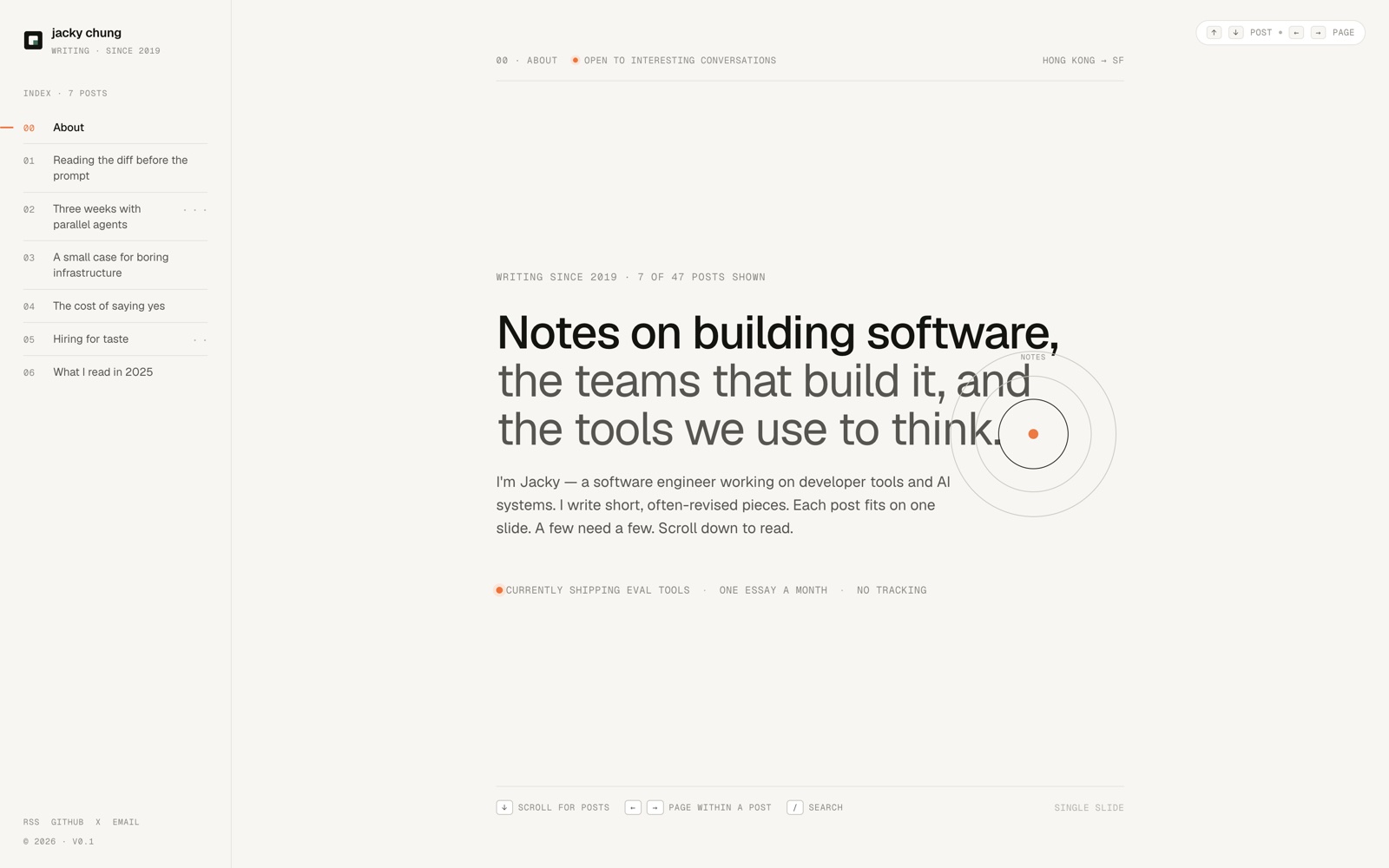
Screenshot of a sample blog page: a left-hand index sidebar listing seven posts, with the selected post — 'Reading the diff before the prompt' — rendered as a full-text feed on the right.
essaydesignaiworkflow
1 / 4
02 · Essay 2 min read

AI research mode

2026-05-01 · 2 min read

AI research mode

Live post: will update whenever I have new learnings on this topic.

While conducting deep research on a new domain recently, there was one specific friction I encountered frequently: AI appears to do some research, read some websites, and spits out a bunch of statements. Some are true, some are inferred, and some are false. The only way I had to determine he validity of the statements came down to researching each one further, or retesting the points back against the AI, to which I usually get the classic "sorry, my statement was not true".

This happens because (from my observations), LLMs like to take 3 methods to research:

  1. Search the internet for sources
  2. Refer to it's own training data
  3. Form it's own observations based on the context

The critical issue when you need research accuracy is: the LLM rarely indicates which method it derives its statements from. So something that appears as fact could in fact be the LLM's guess.

Tagging the output

With this realisation, in order to increase the accuracy of my research, I have created the prompt below to force the LLM to declare how they've derived their statements. Essentially, facts that have come through researching a specific source are tagged as: known [K] with a citation, assumed [A] which are inferred from training data but not verified and unknown [U] where the LLM is unable to verify a claim.

Prompt
Always tag findings with: [K] = verified against a cited source linked inline, [A] = inference, opinion, or claim that is not verifiable against an external source (e.g. interpretation, prediction, reasoning from stated premises), [U] = attempted to verify but no resolution available. For any verifiable factual claim, attempt research before answering — do not tag from training-data memory. If you find yourself reaching for [A] on a factual claim, ask first: "could this be verified?" If yes, search. [A] is reserved for claims that are genuinely inferential, not merely unsourced.
essayairesearch
1 / 2
03 · Project 2 min read

Refinement loops

2026-04-15 · 2 min read

AI made 0-80% easy, but 80-100% hasn't changed

These days, anyone who boasts about having 100 agents working overnight to build their whatever, for me, just means they've 100x'd their sloppy output.

AI is great at getting you to 80%. As the 80-20 rule goes - 80% is the good enough/gets the job done threshold! But for those of us who aspire to go beyond good enough, myself included - refining something to hit 90-100% of the desired outcome is, in my opinion, just as hard as it was without AI (great to know I still have something to do).

Why is this part hard? Well, getting to 80% is easy because that covers the general building blocks, and AI is good at handling the general stuff. That other 20% though, is your unique vision, and until AI can read minds, we need to direct it to execute our vision - this takes precision, and a lot of back-and-forth.

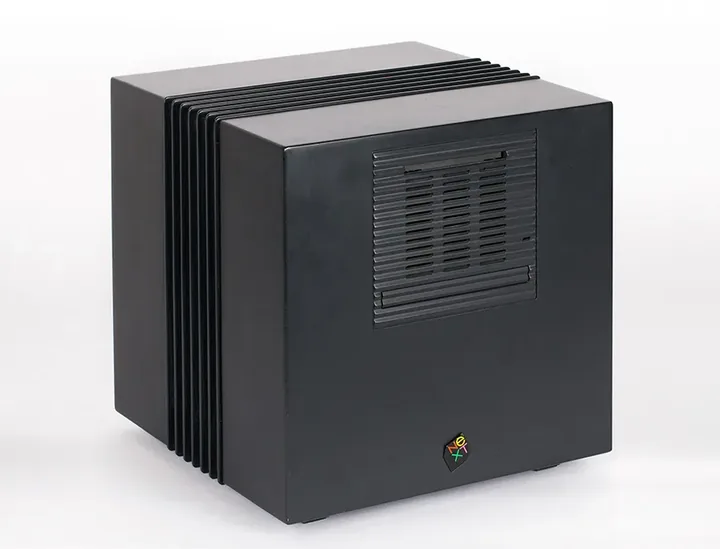
A black cube-shaped NeXTcube computer with vertical ribbed fins along one side, a recessed disc-drive panel on the front, and a small NeXT logo near the bottom edge.
1988 NeXTcube Computer. Steve Jobs famously demanded a perfect cube shape, which required a far more complex manufacturing process vs. accepting a slightly drafted profile typically required for die-cast molds.

Building custom tools for refinement

We see things visually, AI sees code. So iterating with Claude on UI is tricky. Initially I used screenshots or copied elements from Chrome devtools - it's a cumbersome workflow.

Recently, I have started to create custom mini-tools because it's become so easy. In the past, we would install Chrome extensions or SDKs, I see this as the evolution of this.

The example I have here is a pick-and-paste inspector tool. I just temporarily drop it into my project while I develop, so instead of opening devtools, I pick what I'm referring to and paste the details for Claude alongside my fix.

Pick-and-paste widget. Copies an element detail in 1-click to paste into an LLM chat. Link to widget code
projectaitooling
1 / 2
04 · Essay 2 min read

Managing AI vs. humans

2026-04-01 · 2 min read

Managing AI vs. humans

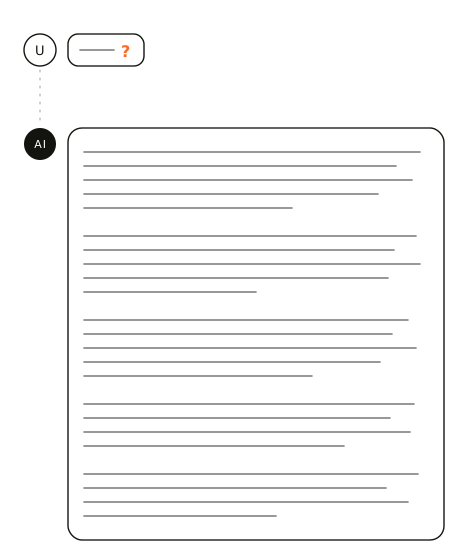
I worked on a project recently where I had to go very heavy on research, which led to the development of this research prompt. The process became very frustrating as I was closing in on a deadline. Whenever I ask a question expecting a short answer - I get an essay back instead.

AI knows everything and has a mandate to serve us.

After the storm, I reflected on this process, and concluded the above, which now informs how I approach managing an AI, which I'll cover on the next slide.

A user asks a one-character question and the AI replies with many dense lines of text, illustrating an oversized answer to a small ask.

AI requires more specificity than humans

Humans answer questions through the narrow lens of what they know. For AI, they have every lens - they know everything. So while the interaction may "feel" familiar, it is fundamentally different:

  • Ask questions with specificity and context. Since it knows everything, if your question lacks sufficient specificity, it's answer too will address all possible angles of your question. People starting prompts with "you are a software engineer" is a good example of narrowing how it answers. Or tell it to ask you questions instead.
  • Instruct it to only provide the most relevant answer. Many people use the "provide short and concise answers", but if the question is general, the AI can provide 10 short, concise answers. So I like tell the AI it only needs to provide the first most relevant answer. I sometimes wonder if AI embodies the impatience of humanity from its training data, so it feels the need to share everything up front. Just let it know that it doesn't need to - it's ok.

The universal constraints that govern AI are different to humans. While we can draw on human processes to work with AI, I believe we also need to sometimes think of it as a different species, and consider how to work with it from its perspective. It's artificial, but we should still show empathy.

essayaimanagement
1 / 2
05 · Project 3 min read

Humanised textbook

2026-03-15 · 3 min read

Humanised textbook.

I bought a 300-page trading textbook, but it makes for a difficult read. What mattered more was being able to reference specific sections when needed, rather than read everything in one go. So I decided to virtualise the textbook for myself - and just ask the author questions directly instead.

The obvious move was to hand Claude the book contents and let it answer. However, the author had a certain way with his words and concept framing, so I wanted to make the knowledge accessible as a conversation - like I'm talking to the author, rather than searching a document.

Most of the work, it turned out, was reshaping the source itself.

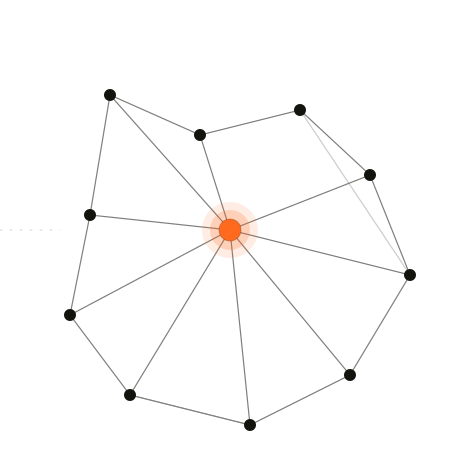
A connected knowledge graph with one orange node at the centre, representing the author's voice extracted from the textbook.

3 passes at the same problem

Pass 1

Read everything.

I made Claude read all 300 pages of the book to answer every question. It works, but it's an expensive and inefficient approach.

Pass 2

Target chapters.

Extracted and expanded the table of contents to guide Claude to only the necessary chapters. An improvement, but still linear - it doesn't address knowledge relationships between chapters.

Pass 3

Linked notes.

Taking inspiration from Obsidian backlinks, rewrote the book into ~40 atomic notes with backlinks. Claude can now follow a non-linear path to answer questions and cite specific notes.

Making it sound like the author.

Building a voice profile requires a few stages, which enlightened me on the challenge of building a strong voice profile. First I extracted voice samples from every chapter and asked Opus and Sonnet to deduce underlying patterns. Opus was marginally better at this, it handled subtlety a little better.

However, this approach appears to constrain the voice to a number of obvious patterns rather than build a true voice. Essentially, Claude has it's own "natural" voice. The voice profile that I create is restricted to a reasonable length for efficiency. The voice profile becomes a wrapper for Claude to adjust it's natural voice in it's responses, and unless you create a very detailed voice profile which can effectively strip away Claude's natural tendencies, the result is a superficial response where Claude re-uses very predictable patterns in a rather artificial way.

I'm sure there are better ways to do this, but for the purpose of this exercise - I tried, it didn't really work, so I dropped it.

Packaged skill scoped to a project folder

I had originally intended to use Obsidian MCP as the storage solution for the 40 linked notes, since it would be easier for me to consume. However, I encountered a few challenges: timeouts, strange whole-note rewrites for 1-line changes etc. I realised MCP has a cost, and moving the data to a local Claude Cowork project folder made the system more robust.

So the final result is a Claude Cowork skill, bound to a single project folder, to contain it to a very specific workflow:

  1. I can fire up a chat in this project folder and ask a question.
  2. Claude will check the project index, then read 1-3 relevant linked notes and answers my question in a toned down version of the author's voice.
  3. Claude will only answer with knowledge of the textbook, out of scope questions will be answered with "I don't know" rather than filled with training data.
  4. All answers are linked to specific notes and charts for further reading.
projectaiclaude
1 / 4
06 · Project 3 min read

AI notes manager

2026-03-01 · 3 min read

AI notes manager

For years, Apple notes was where I would log ideas, meeting notes, recipes, todos etc. 1000 notes later, a lot of them have disappeared into the void. For most notes, this is probably fine. But I've always wanted a better system. In the past, I have looked into "second brain" setups, but I lack the discipline to maintain it - it takes a lot of effort. This is where Obsidian MCP + Claude changes the game. I created 4 Claude skills, scheduled to run daily to organise my notes.

If you are not familiar with Obsidian, it's a note-taking tool that has been around for a while. But what makes it great is that all the notes are saved locally as markdown files, it has an amazing library of community built plugins that allows you to customise everything to suit your workflows, and this is also what makes it so great when paired with AI. However, I do think it's better for those who want to tinker with their notes app - so skip if you're not the tinkering type.

Backlinks + folder structure

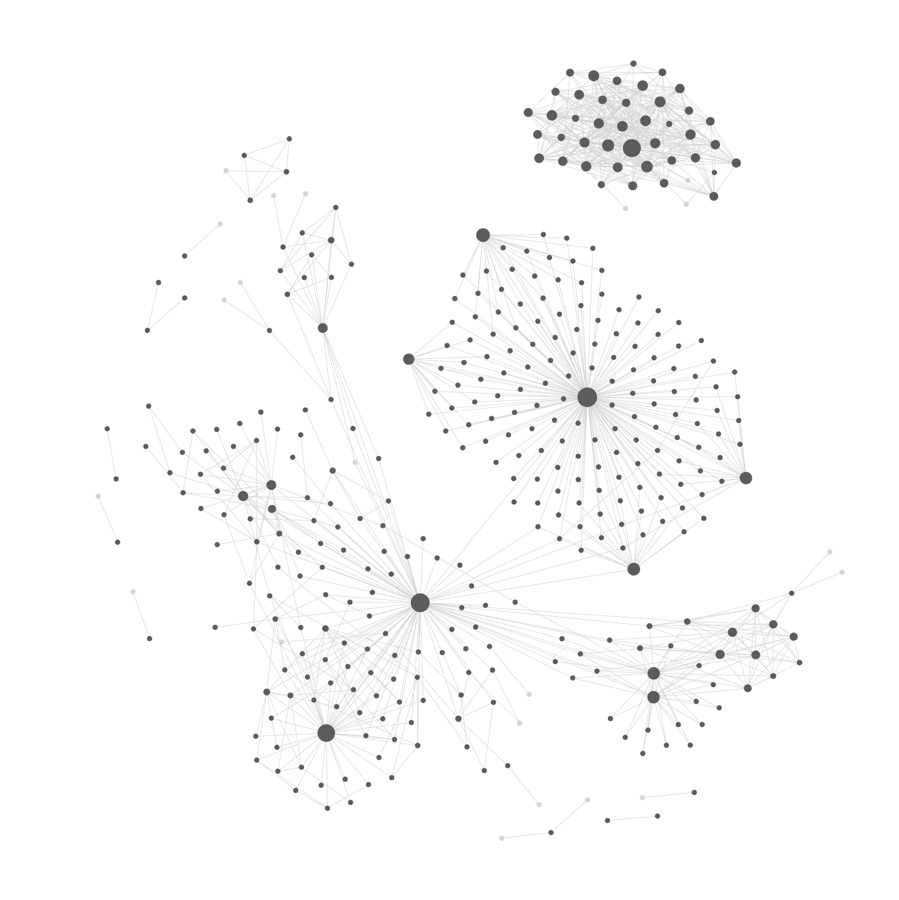
Backlinks is a core concept for organising notes in Obsidian. Where you rely less on folder structures, and more on embedding a link between related notes. Building these links manually is mind-numbing work, which is the bit that makes AI really useful. Over time, if notes are appropriately backlinked, you will build a graph of your notes which can reveal patterns and connections between ideas.

For the folder structure, I've adopted a system called PARA, which consists of 4 levels:

  • Projects. Anything with a defined end date.
  • Areas. Ongoing responsibilities - health, finances, work.
  • Resources. Reference material - books, topics, things to come back to.
  • Archive. Completed or dormant. Out of sight but not gone.
A graph of notes showing clusters of densely connected nodes — the backlink structure that emerges over time.

4 skills to organise my notes

Finally, I connected Obsidian to Claude via MCP, and created 4 skills set to run on a daily basis to take care of the organisation of my notes - so I can continue to write freely and Claude organises the chaos for me. You can download the skills to use yourself, I've also included a guide on how I set up Obsidian MCP with Claude: github.com/jackyckchung/obsidian-mcp-skills

Safety rails. AI will get things wrong at times, so to balance efficiency against errors, all original notes are archived, and all changes are logged in a table. If Claude is unsure about a change, it flags the change for review. This way, any unintended changes can be reverted.

Skills
/process-free-notes
All notes outside of the PARA structure are tidied up, vague titles are renamed, backlinks added.
/process-daily-notes
I have a daily log note, which this skill will split up into separate notes and tidied with backlinks.
/process-tidy-note
Sometimes I update an existing note, and if I make a lot of changes, I would run it through this skill to tidy it up.
/process-events-note
Optional. I have an events note where I drop notes on events/meetings, and this skill will create calendar events from them.